

EC2 Scan & AWS Estate Discovery
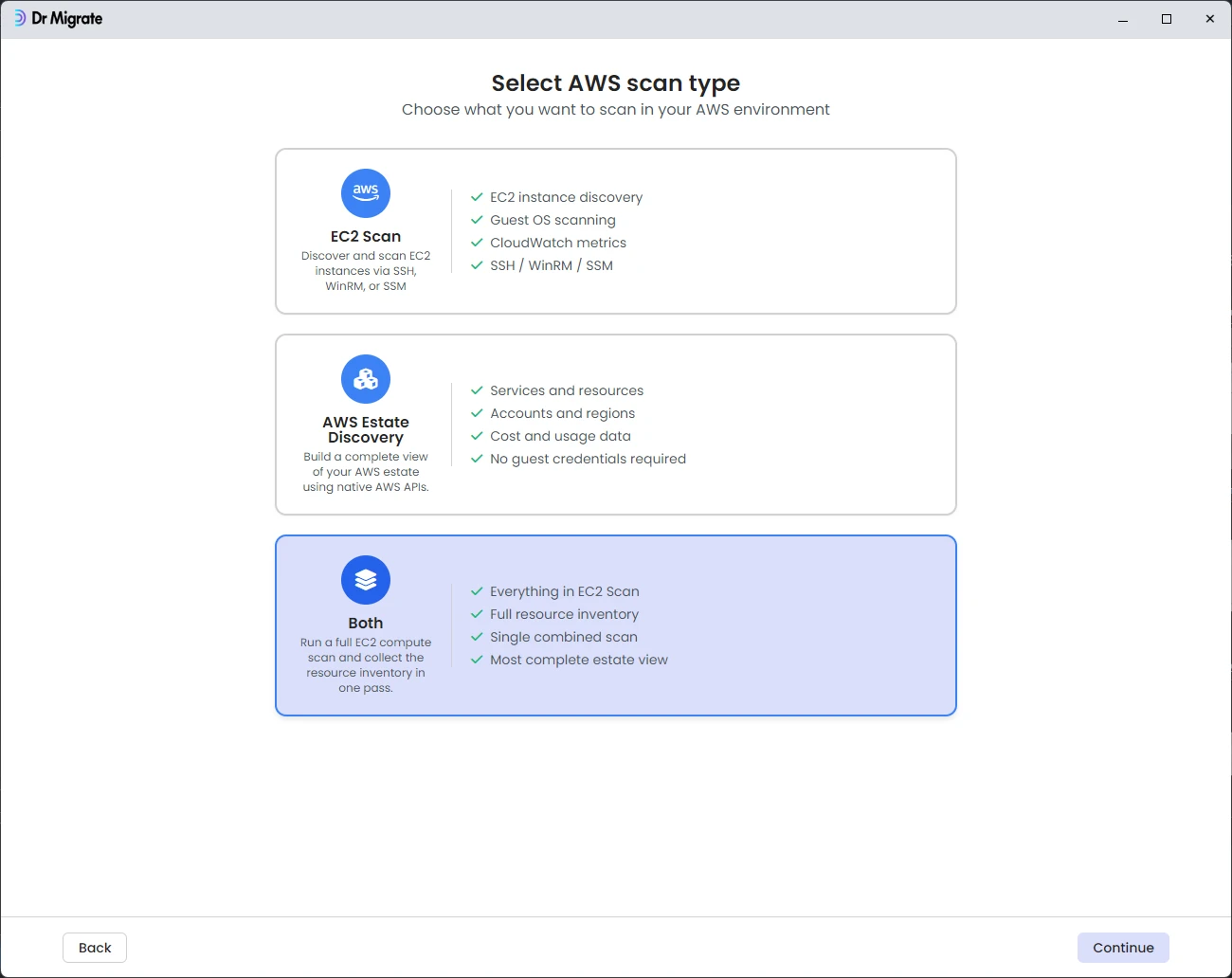
The Both option in DMC runs an EC2 Scan and an AWS Estate Discovery together in a single pass, giving Dr Migrate in-guest server data, CloudWatch metrics, and a complete AWS resource and cost inventory without a second scan run.
Before you start
Complete the setup in AWS Requirements before running this scan. Both the EC2 Scan and the Estate Discovery IAM permissions are needed.
You will need:
- A collector host inside your AWS environment
- A collector identity and a scan role in each target account, combining the EC2 Scan and Estate Discovery permissions
- One guest access method and admin credentials for the EC2 Scan side
- AWS Config and Cost Explorer enabled for the Estate Discovery side
- The list of AWS accounts and regions you want scanned
Running the scan
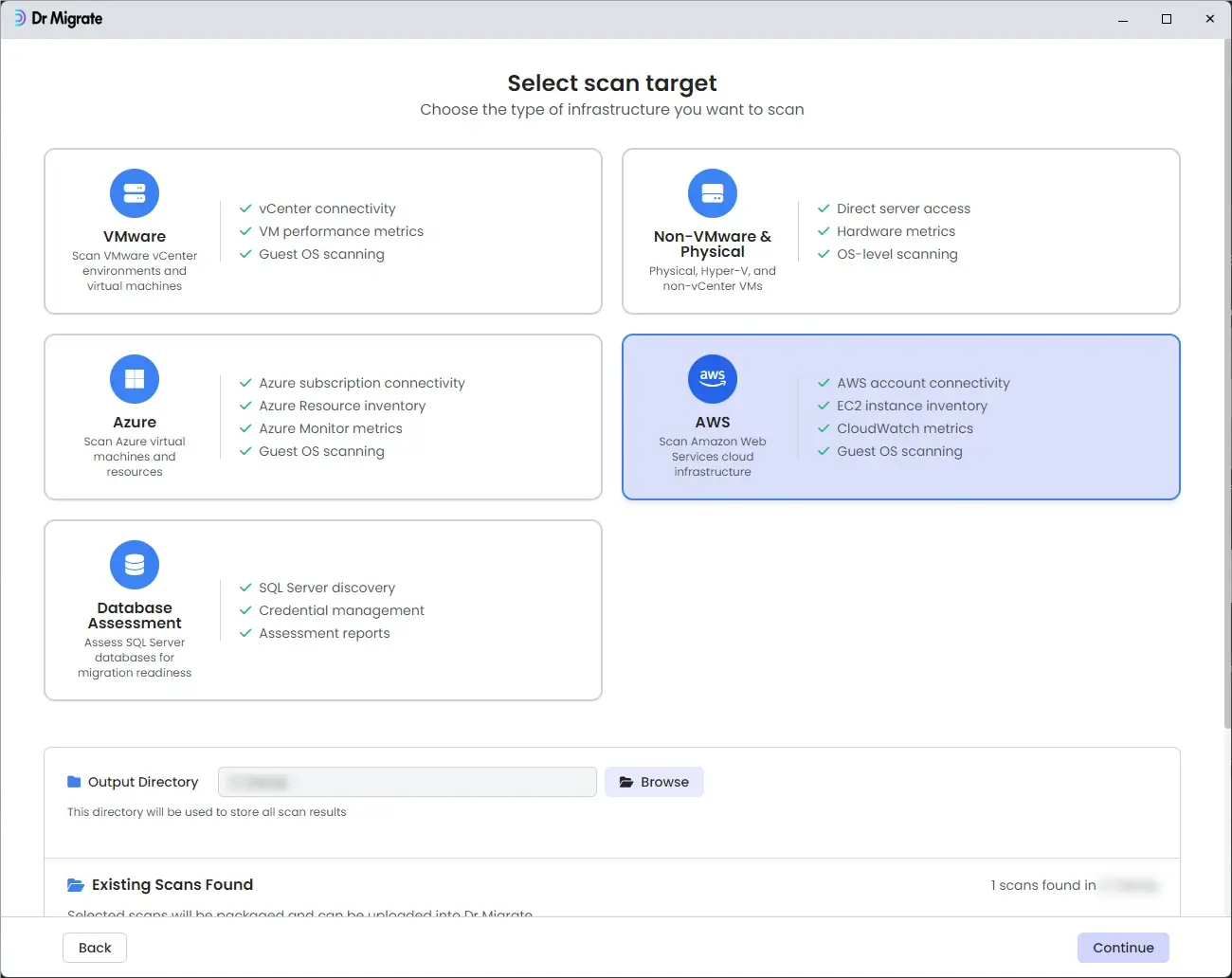
Launch DMC on the collector host. Click through the welcome screen, select AWS as the scan target, then select Both. The wizard then walks through five screens.
AWS Configuration
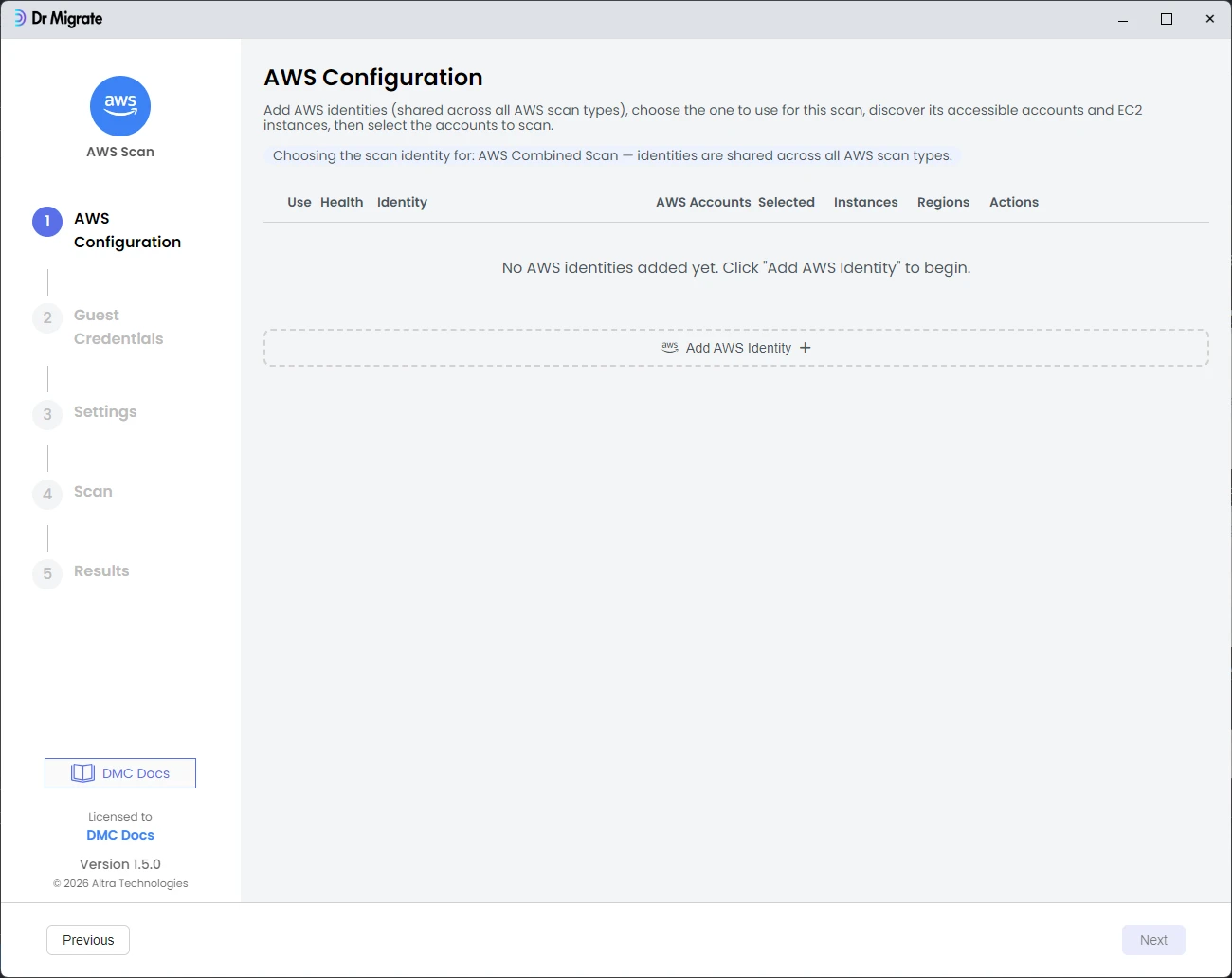
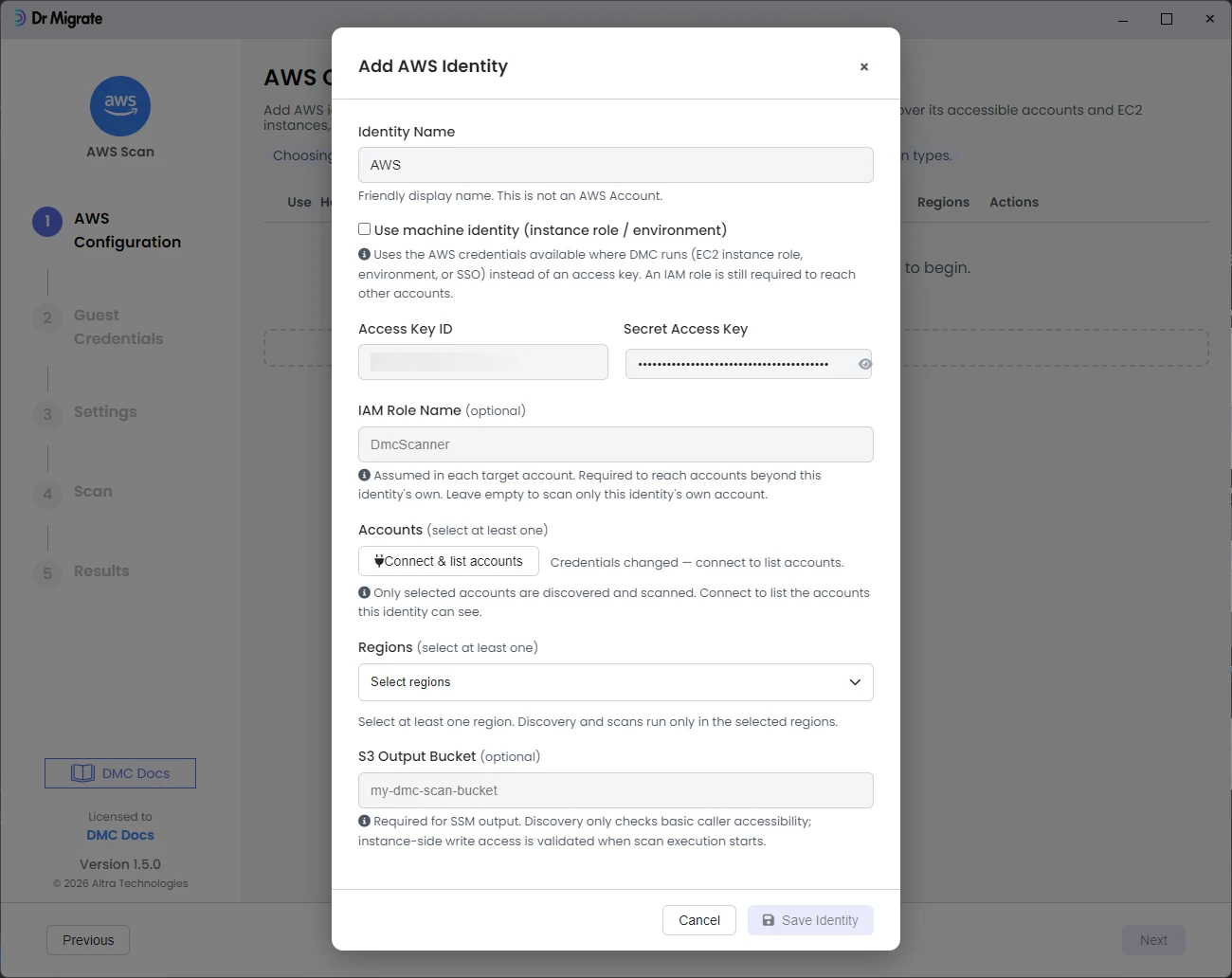
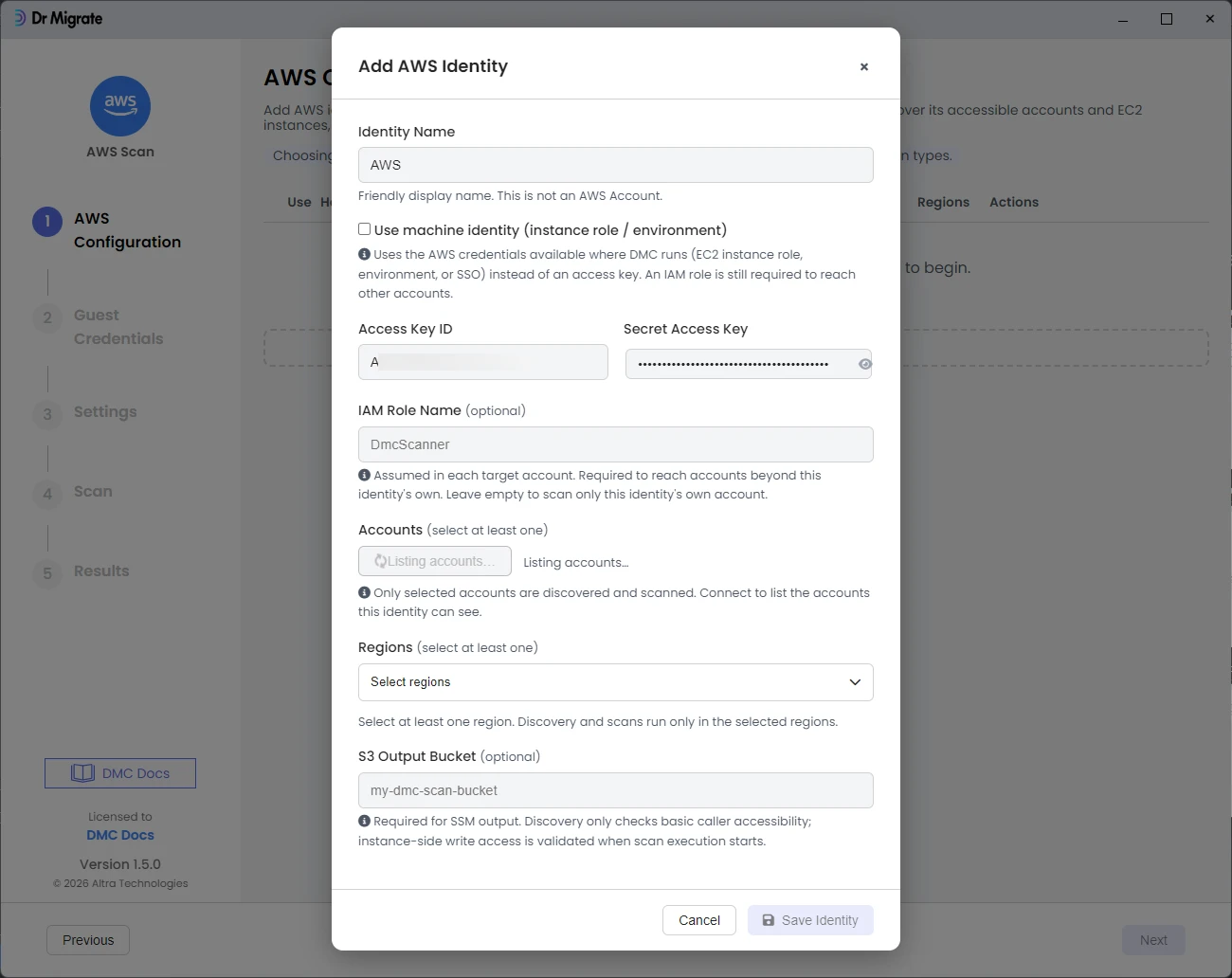
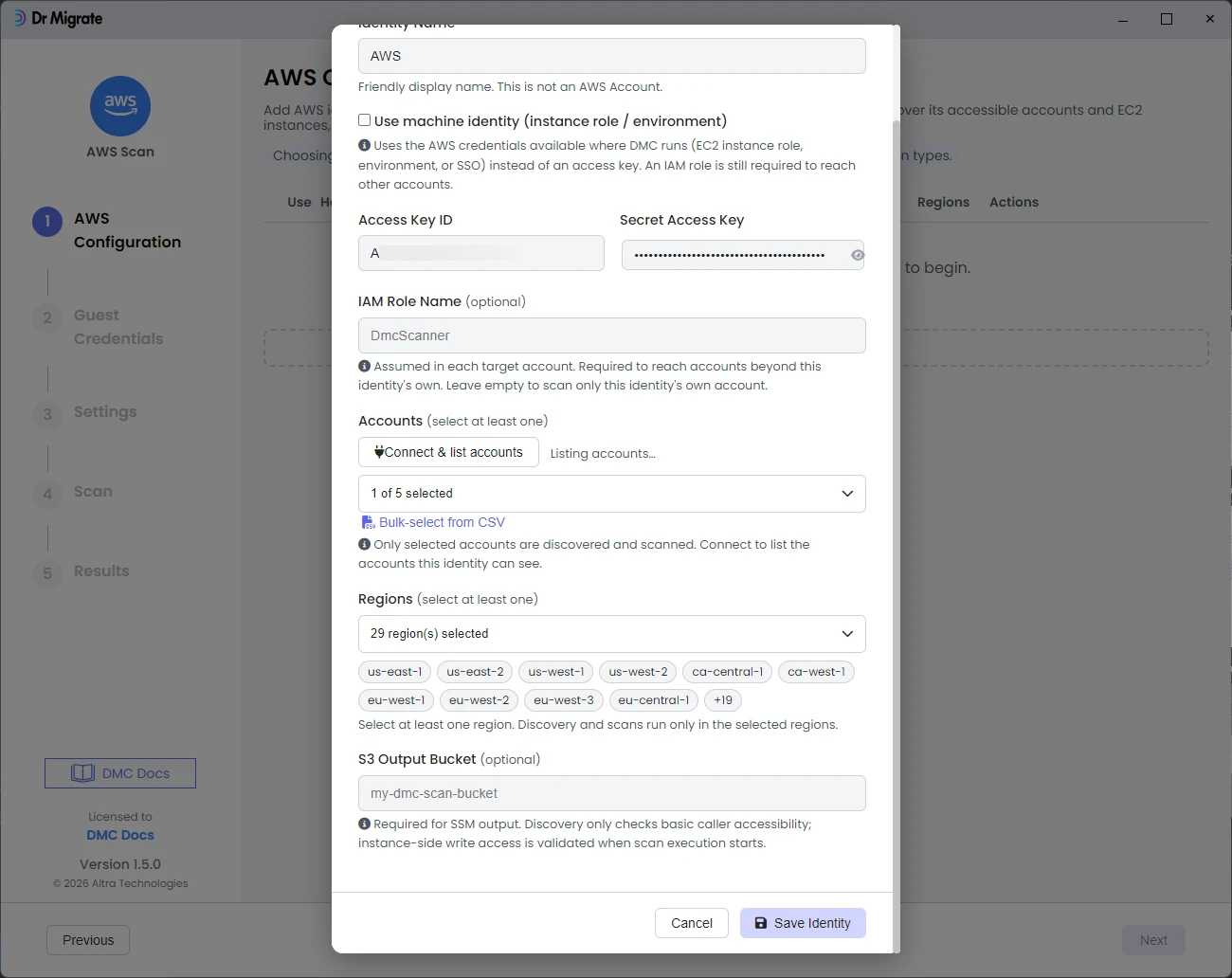
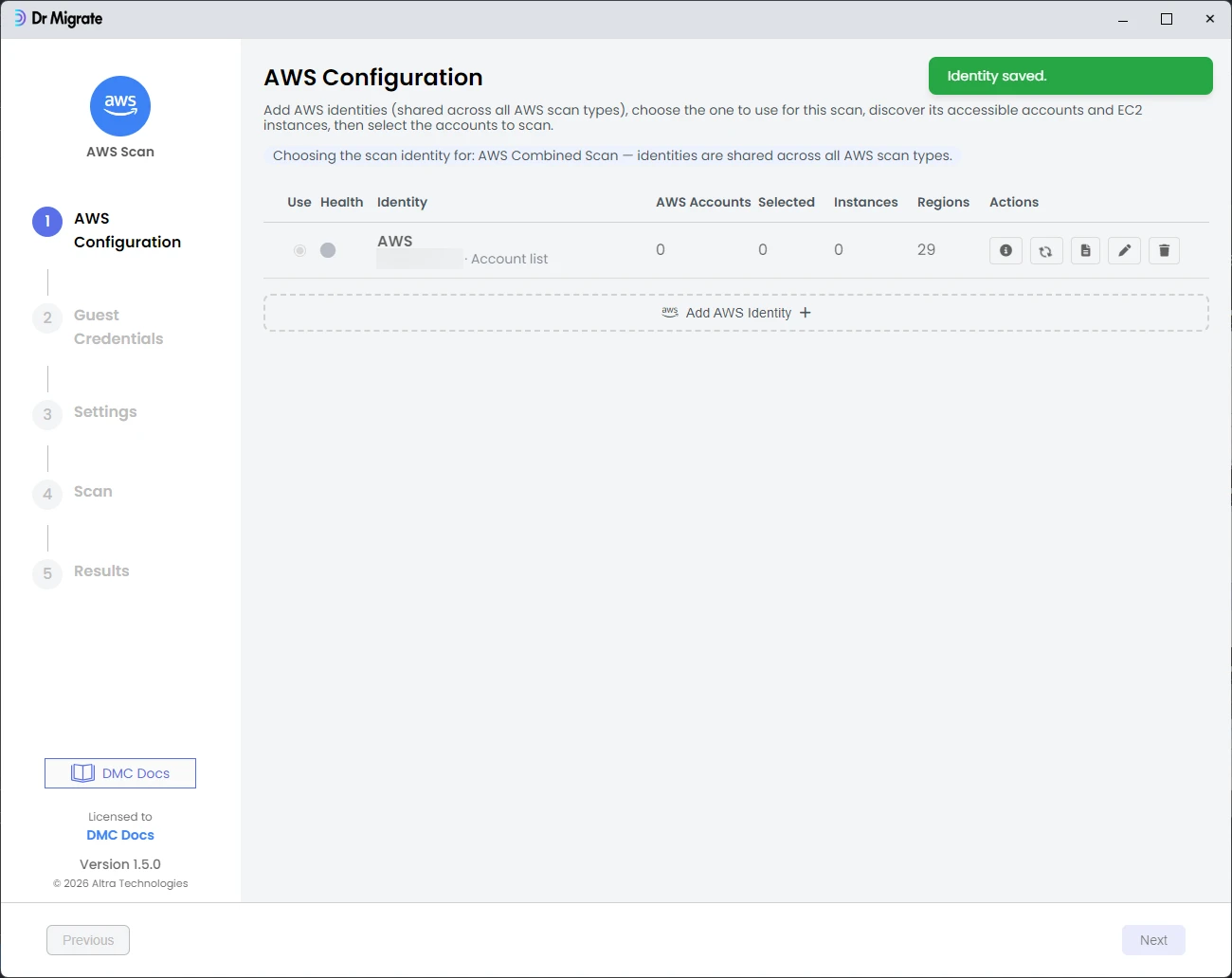
Add an AWS identity so DMC can reach your accounts. Enter a label and the ARN of the collector role, click Add to validate and list the accounts it can reach, then select the regions to include and save the identity.
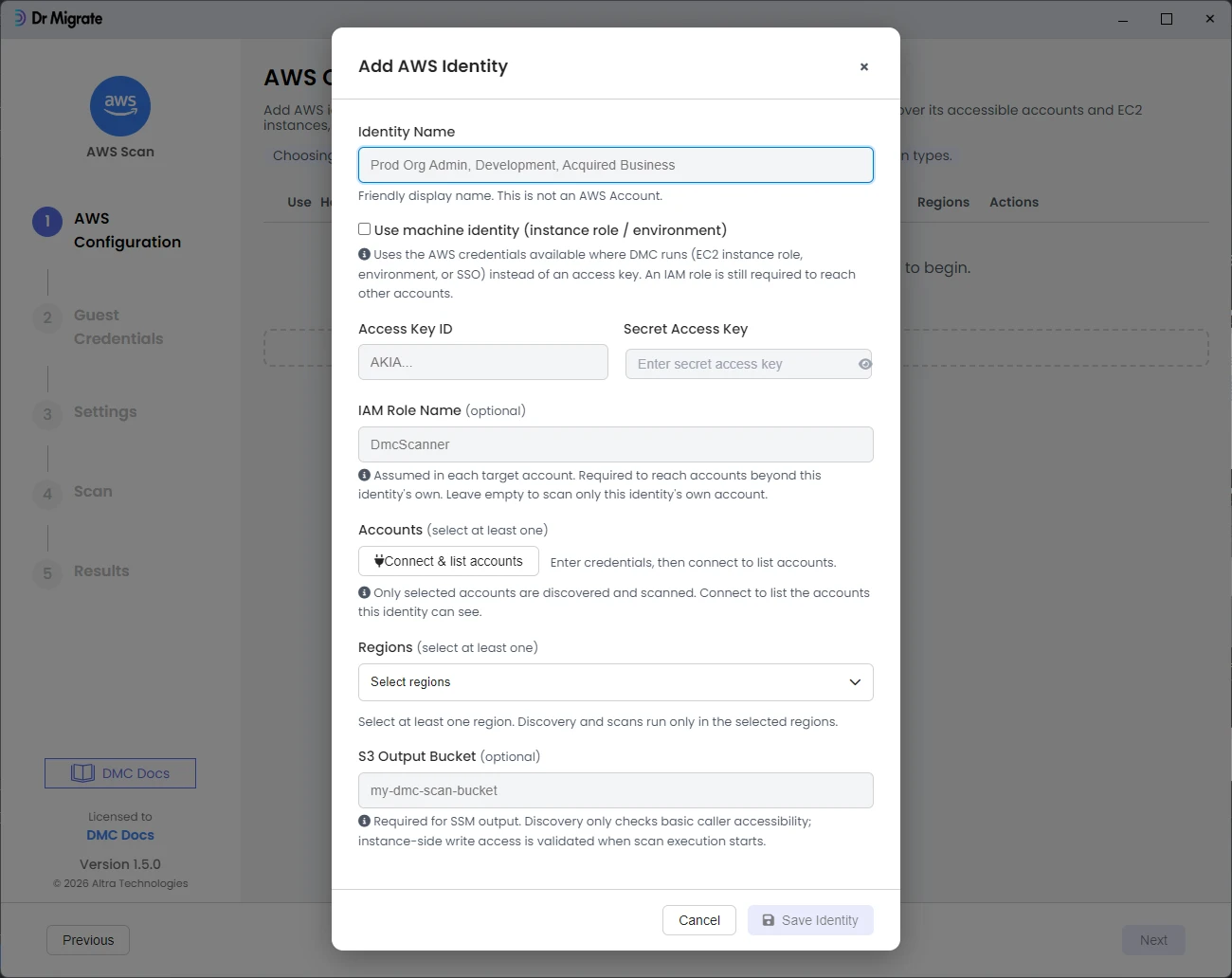
If only your own account appears here, organizations:ListAccounts may be blocked at the AWS Organizations level rather than by IAM. See AWS Requirements for how to enable multi-account discovery.
Guest Credentials
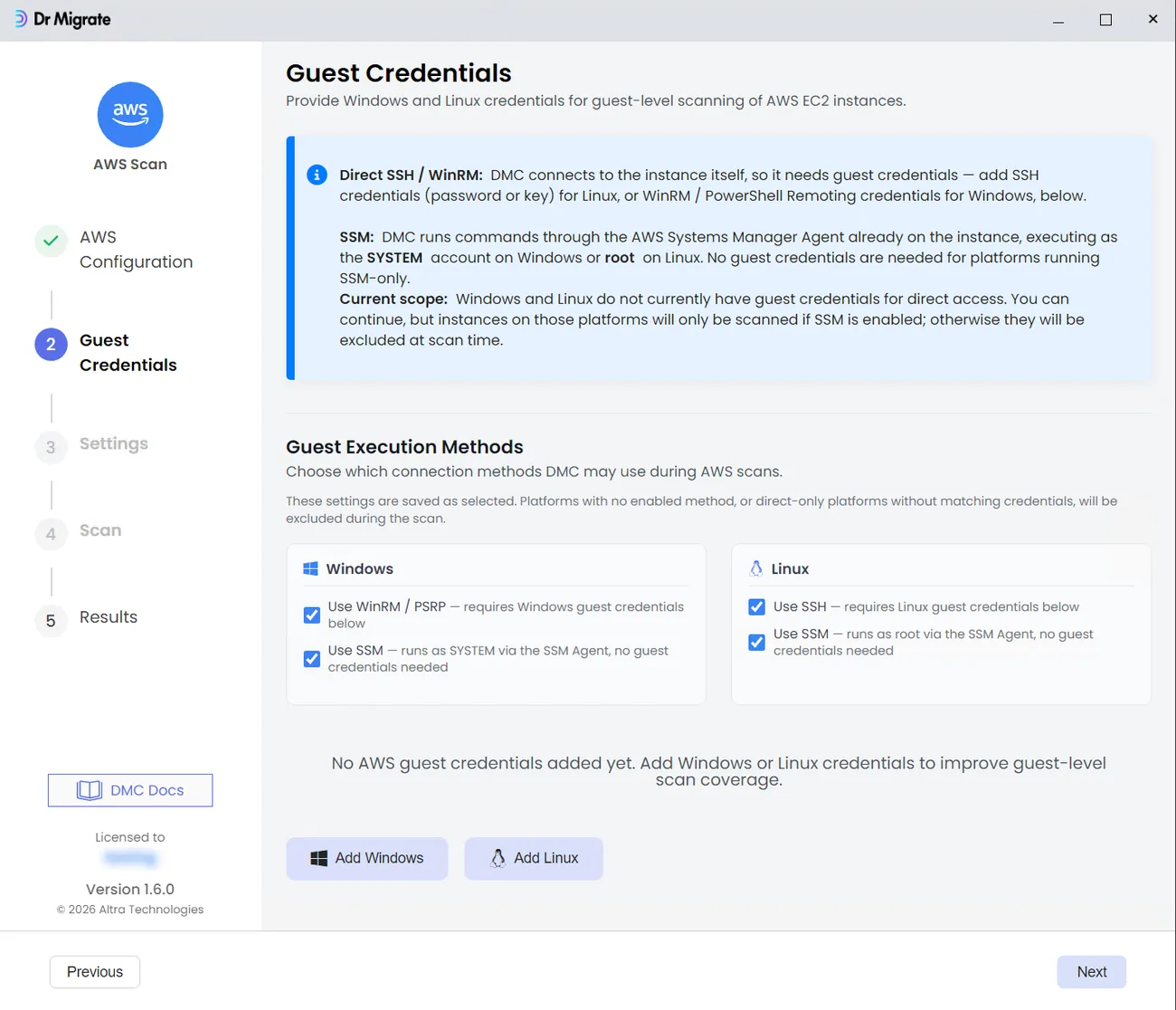
Under Guest Execution Methods, choose the connection methods DMC may use for each platform. SSM needs no credentials here; it runs through the AWS Systems Manager Agent already on the instance, as SYSTEM on Windows or root on Linux. WinRM / PSRP (Windows) and SSH (Linux) connect to the instance directly and need admin credentials added with Add Windows and Add Linux on this screen. See Server admin credentials for the access each method requires. A platform with no enabled method, or a direct-only method with no matching credentials, is excluded from the scan.
Settings
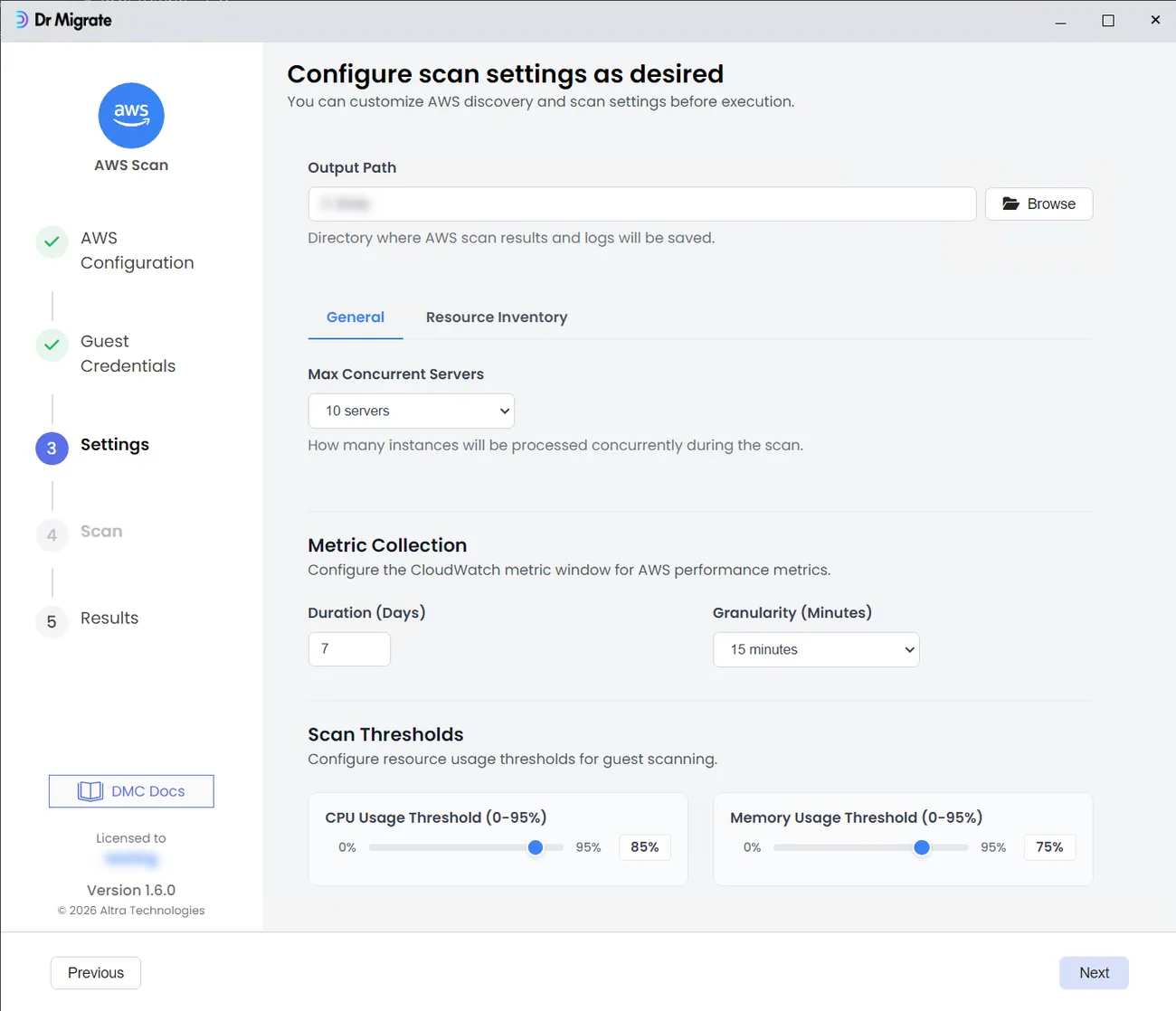
The General tab covers the EC2 Scan side:
- Output Path: the directory where DMC saves scan results and logs.
- Max Concurrent Servers: how many instances DMC scans in parallel: 5, 10, 15, or 20 (default 10).
- Metric Collection: the CloudWatch window DMC pulls performance data from. Set Duration in days (default 7) and Granularity: 5, 15, or 30 minutes, 1 hour, 6 hours, or 1 day (default 15 minutes).
- Scan Thresholds: the CPU and memory usage level (0-95%, default 85% CPU / 75% memory) above which a server is considered too busy and its guest scan is skipped.
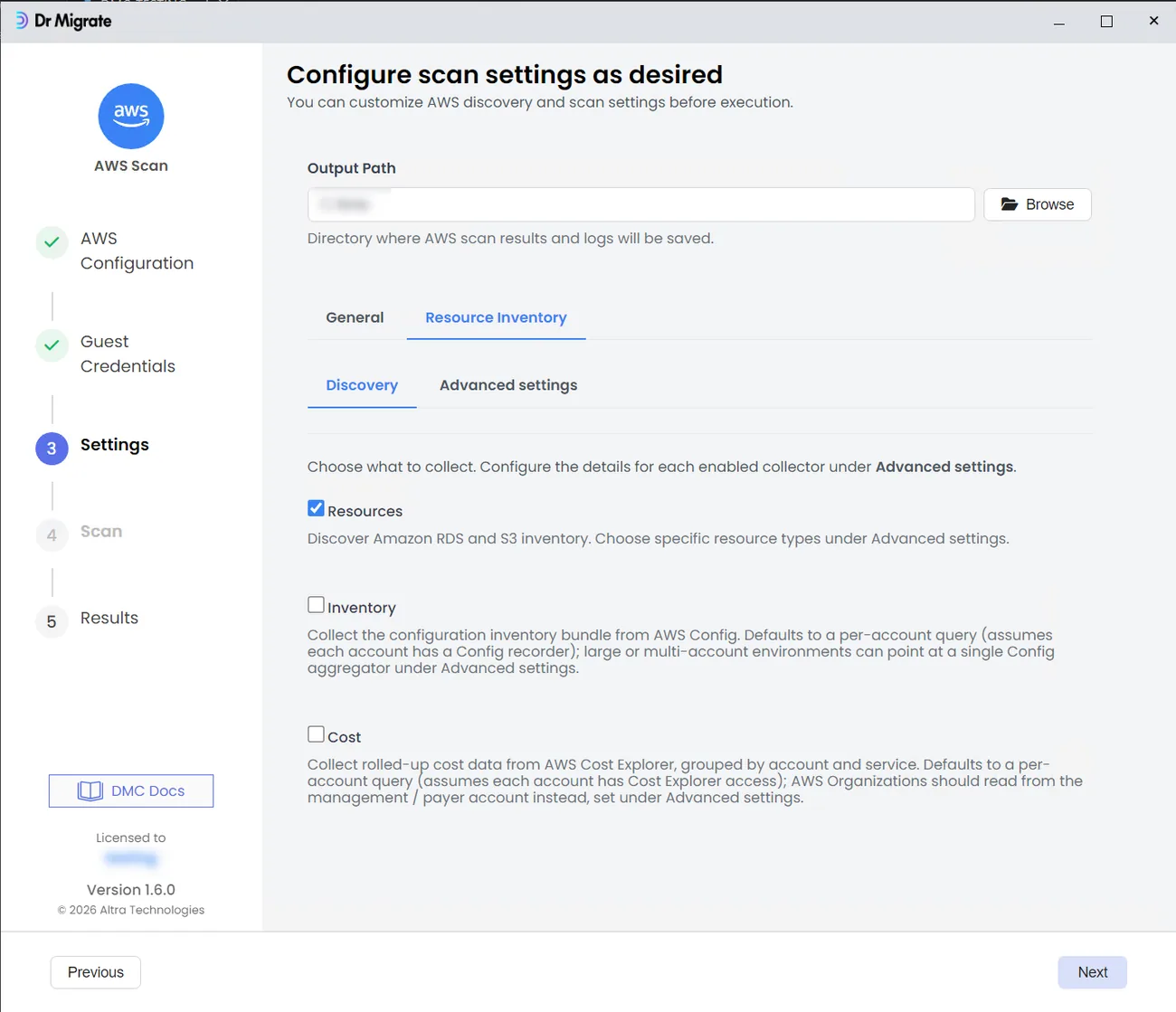
The Resource Inventory tab covers the Estate Discovery side. Choose which collectors to run under Discovery, then configure each enabled one under Advanced settings:
- Resources: Amazon RDS and S3 inventory (enabled by default). Pick the specific resource types under Advanced settings.
- Inventory: the AWS Config configuration bundle. Defaults to a per-account query that assumes each account has a Config recorder; for large or multi-account environments, point it at a single Config aggregator under Advanced settings.
- Cost: rolled-up Cost Explorer data by account and service. Defaults to a per-account query that assumes each account has Cost Explorer access; for an AWS Organization, read from the management or payer account under Advanced settings, and choose the cost period and whether to include resource-level cost detail.
Scan
The Scan screen shows the EC2 instances discovered and how many accounts and regions are in scope for inventory. Click Run Scan. DMC shows real-time progress in the console output: the estate inventory runs first, then guest scanning of the EC2 instances.
Results
When the scan completes, DMC produces a password-protected ZIP of the collected data. Hand that file to your Dr Migrate contact, or import it into Dr Migrate yourself.