

Execute
Execute is where planning becomes delivery. Once your plan is in place, the Migration Centre is where you turn it into migration activity. Azure Migrate Sync keeps planning and execution aligned by pushing migration-ready data into Azure Migrate.
Migration Centre
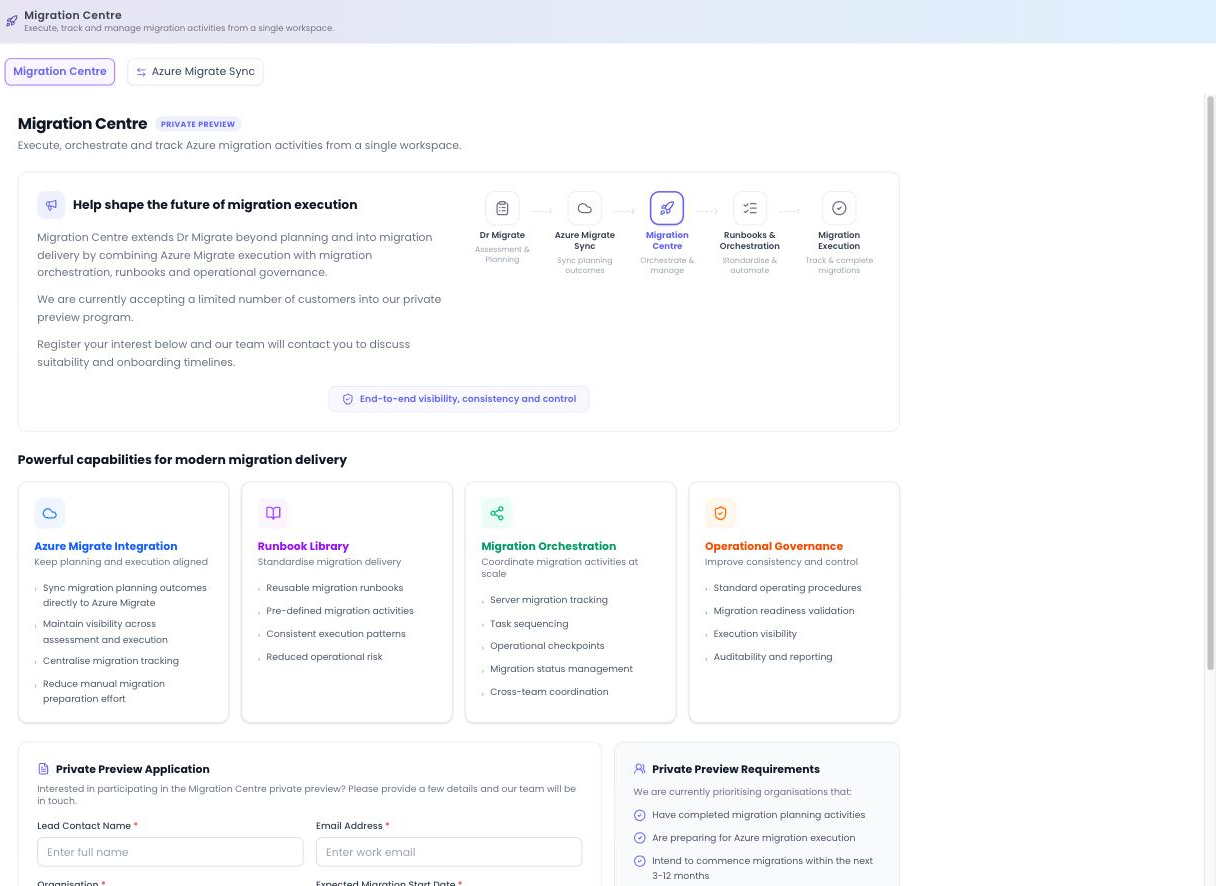
The Migration Centre extends Dr Migrate from planning into migration delivery, combining Azure Migrate execution with orchestration, runbooks and operational governance, giving end-to-end visibility, consistency and control across the delivery of your plan.
Migration Centre is currently in Private Preview. It's available to a limited number of customers while the capability is built out. A private-preview registration form lets interested customers register their interest, after which the team discusses suitability and onboarding.
Capabilities
Sync planning outcomes to Azure Migrate and centralise tracking.
Reusable migration runbooks with pre-defined activities and consistent patterns.
Server migration tracking, task sequencing, operational checkpoints, status management and cross-team coordination.
Standard operating procedures, readiness validation, execution visibility and auditability.
Where this sits in the journey
Plan complete
Treatments assigned and waves defined in Migration Planning.
Sync to execution
Azure Migrate Sync brings your planning outcomes into Azure Migrate and the Migration Centre.
Execute and track
Run each wave with runbooks and orchestration, monitoring progress to completion.
As Migration Centre moves out of preview, this page will be expanded with detailed walkthroughs for running waves, using runbooks and tracking status.
Azure Migrate Sync
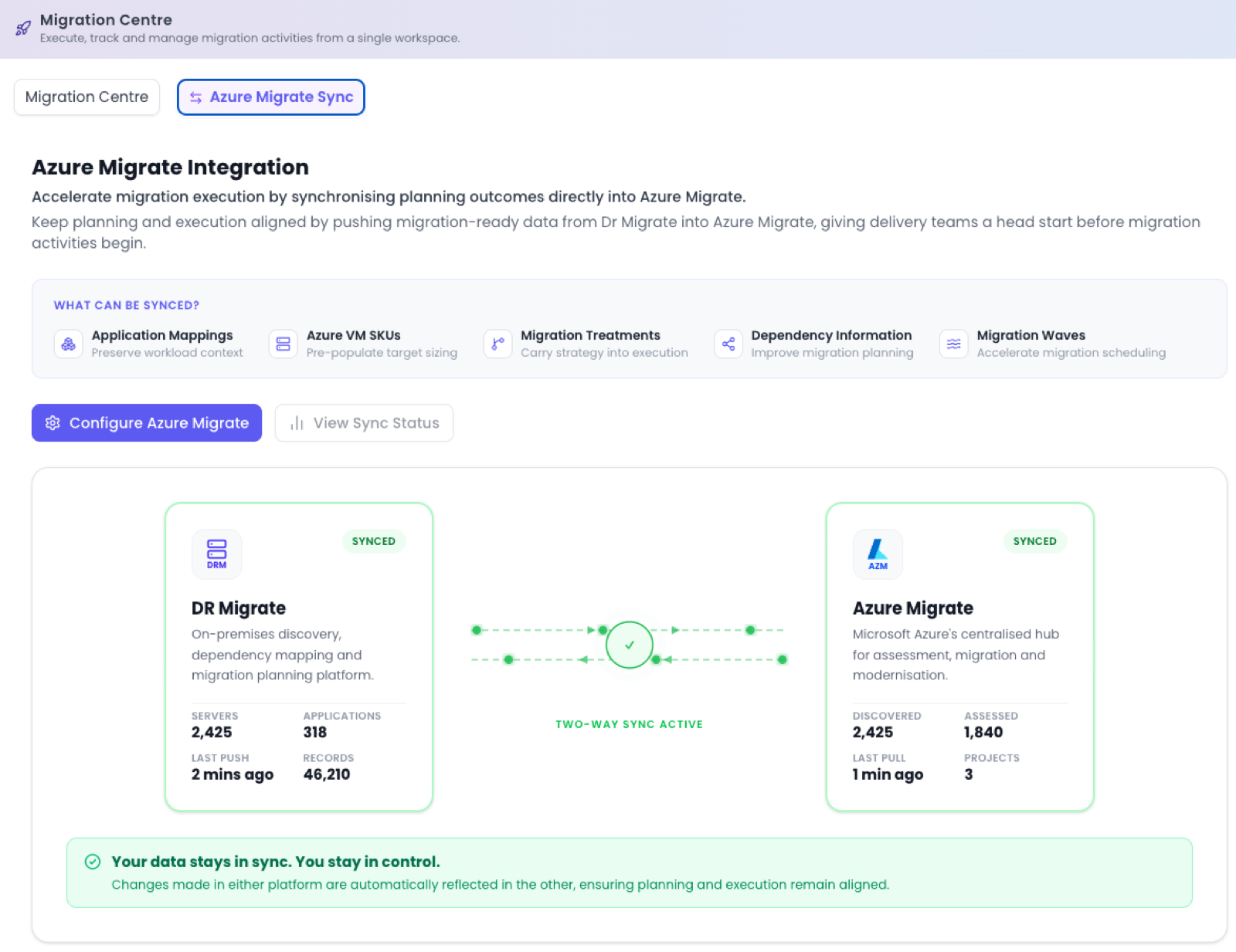
Azure Migrate Integration keeps planning and execution aligned by pushing migration-ready data from Dr Migrate into Azure Migrate, so the work you did in planning carries straight through to delivery without re-keying.
What can be synced
You can push the migration-ready outputs of your plan across to Azure Migrate:
- Application Mappings: the application workloads you built in Workload Mapping.
- Azure VM SKUs: the target sizes from your assessment.
- Migration Treatments: the 6R treatment assigned to each server.
- Dependency Information: discovered relationships between servers and applications.
- Migration Waves: the wave each application belongs to.
Two-way sync
The screen shows a two-way sync between the two systems, so you can see both sides at a glance with two-way sync active:
| Dr Migrate | Azure Migrate |
|---|---|
| Servers | Discovered |
| Applications | Assessed |
| Records | Projects |
| Last push | Last pull |
Two buttons drive the integration: Configure Azure Migrate connects the target project and sets up the sync, and View Sync Status shows what was last pushed and pulled.